Gallery statistics: see what clients really look at
Views, likes, completed selections: anyone who sees the status of their galleries at a glance follows up specifically instead of chasing blindly. How gallery statistics steer your workflow.
After sending the gallery, many photographers begin waiting blind: has the client looked in? Have they started selecting? Are they done? Without data all that’s left is asking generically — which annoys when the client is long finished, and achieves nothing when they never opened the email.
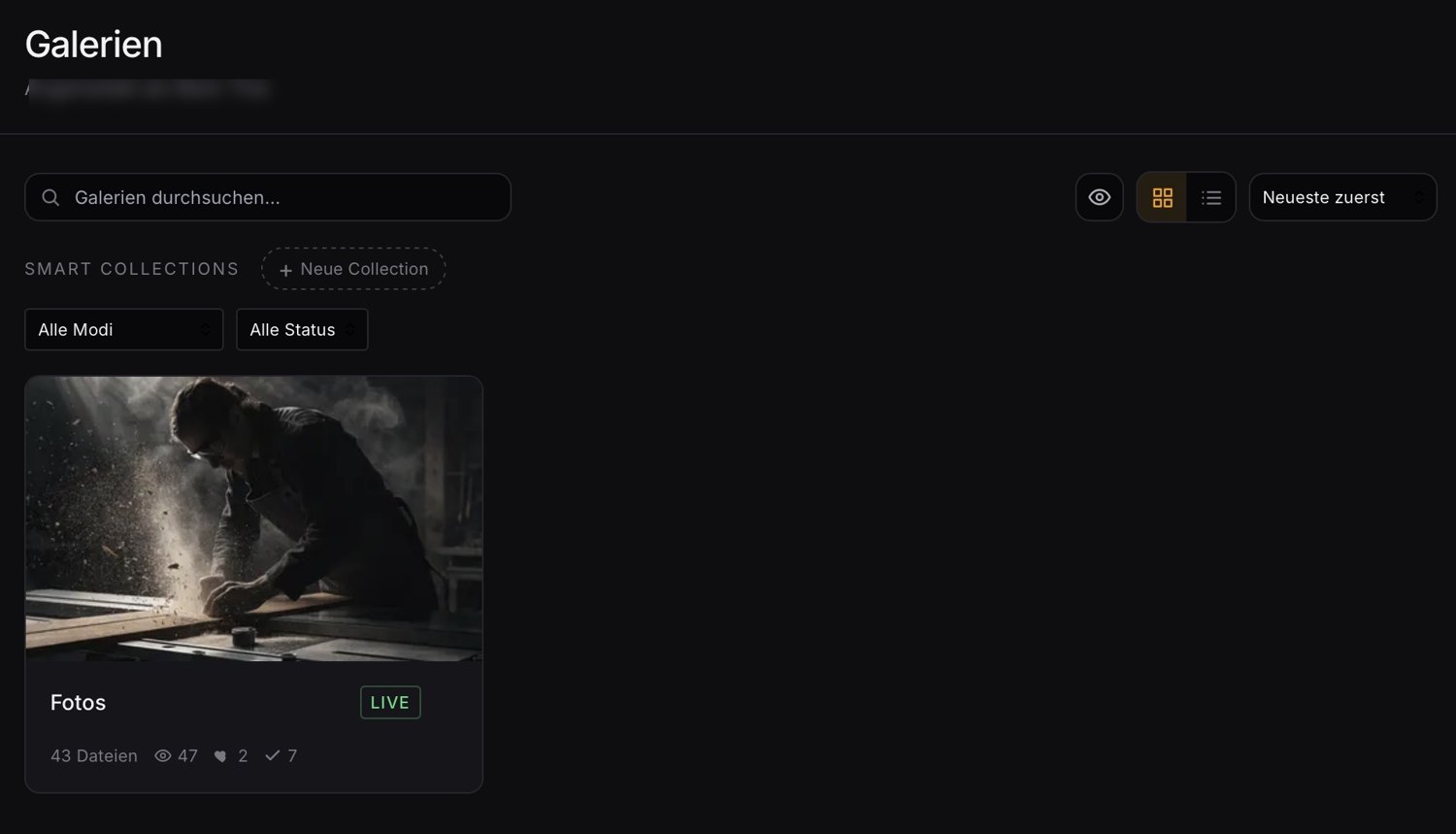
What statistics tell you
Three simple metrics per gallery give you the orientation you need:
- Views: Was the gallery opened at all? Zero views after three days means the invitation got lost — perhaps in spam. A friendly reminder helps here, not pushing for selection.
- Likes / favorites: Has the client started marking? A started but unfinished selection often means they’re unsure or distracted — a quick call can untangle the knot.
- Completed selections: Has the selection been finally submitted? Then you can get going without asking.
From chasing to targeted follow-up
The real gain isn’t the number itself, but what you make of it. Instead of sending all clients the same “are you done yet?” email, you see at a glance who needs which help: remind, support or simply leave alone. That comes across as attentive rather than intrusive.
An overview across many galleries
Anyone running several jobs in parallel additionally benefits from a good sort and filter view — say by status or mode — and from saved views for recurring questions (“all galleries where the selection is still open”). That way you keep the overview even with twenty running galleries.
Conclusion
Gallery statistics turn blind waiting into targeted action. Views, likes and completed selections show you where to remind, help or simply wait — and a good overview keeps that manageable even across many parallel jobs.
Lumio is built exactly for that: per gallery you see views, likes and completed selections, sort and filter your galleries by status and mode, and create recurring Smart Collections for that.