Everything a pro gallery needs.
From pre-selection with your team to the branded handover to end clients — here's Lumio in detail, with real screenshots from the studio.
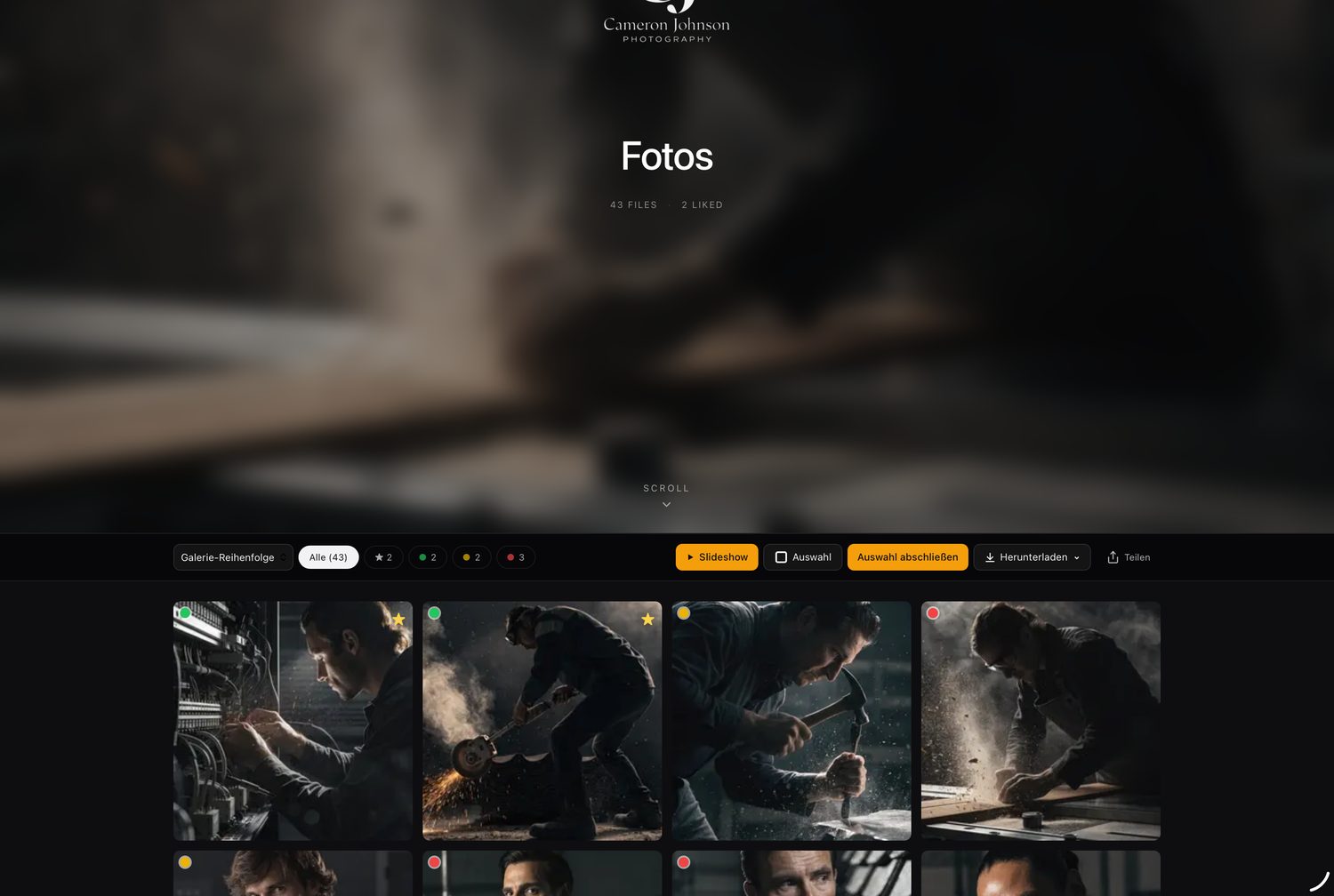
Your brand — not ours.
Clients see a gallery that looks like your studio: your own logo, hero image, colors and a personal welcome. Lumio never appears anywhere.
- Your own logo & hero image
- Welcome text in Markdown
- Custom colors per gallery
A selection that doesn't end in email chaos.
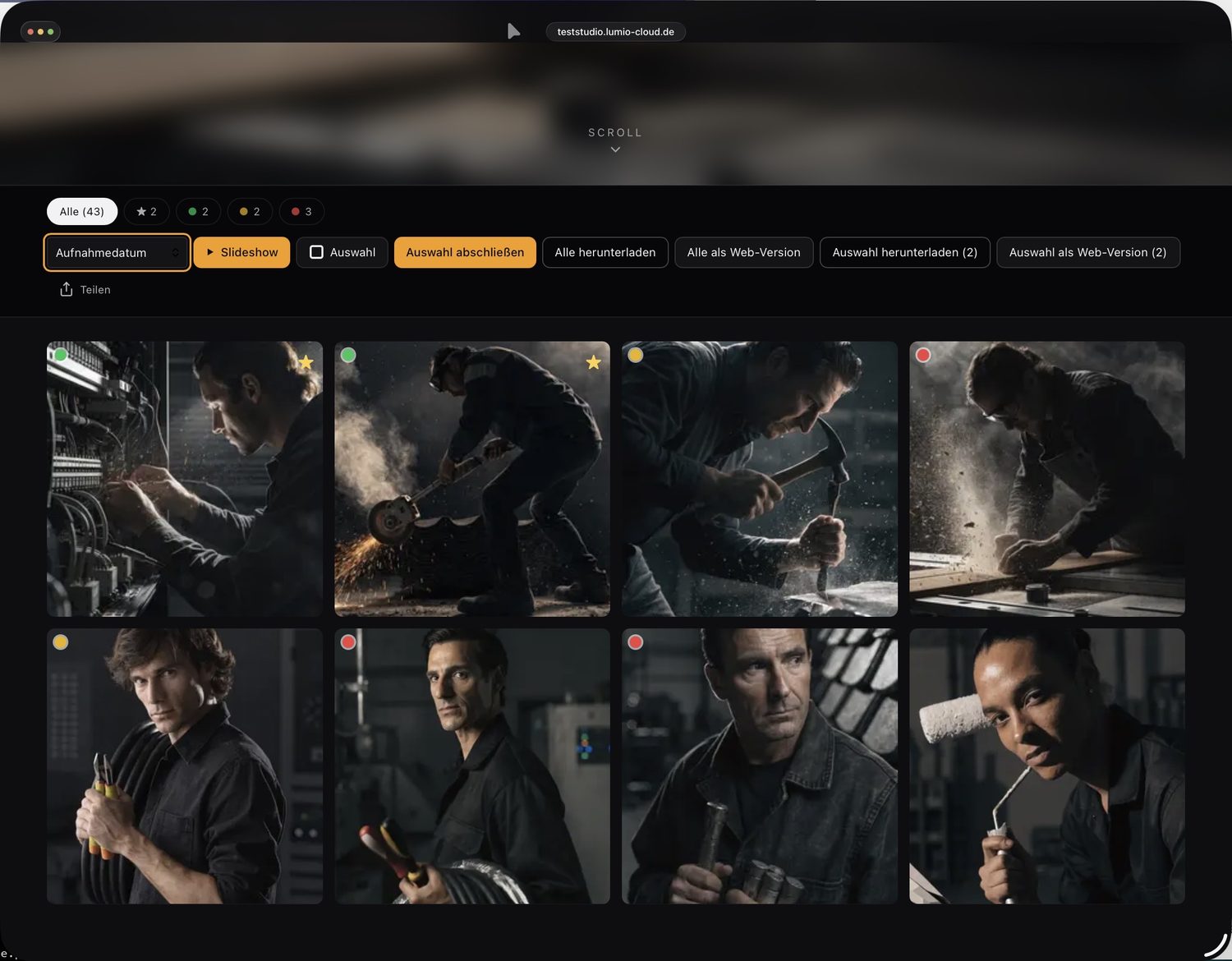
Clients mark favorites with color tags, likes and stars and finalize their selection. You see it live in the studio — including an optional selection limit.
- Color tags (green/yellow/red), likes, stars
- Selection limit per gallery
- Live view of the client's picks
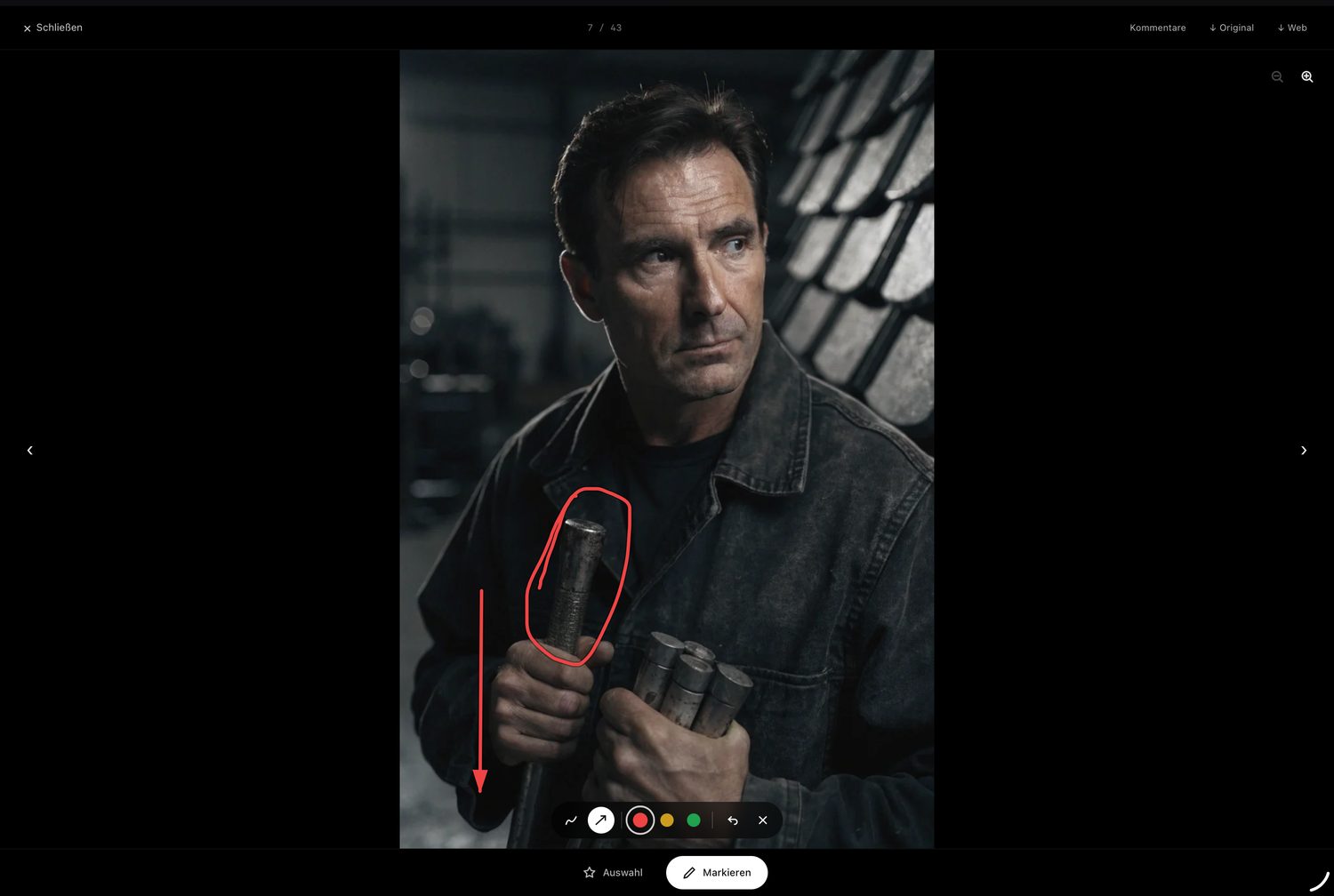
Feedback right on the image.
Clients and team comment on individual images and circle spots directly on the photo. No more “the third image from the left, second row”.
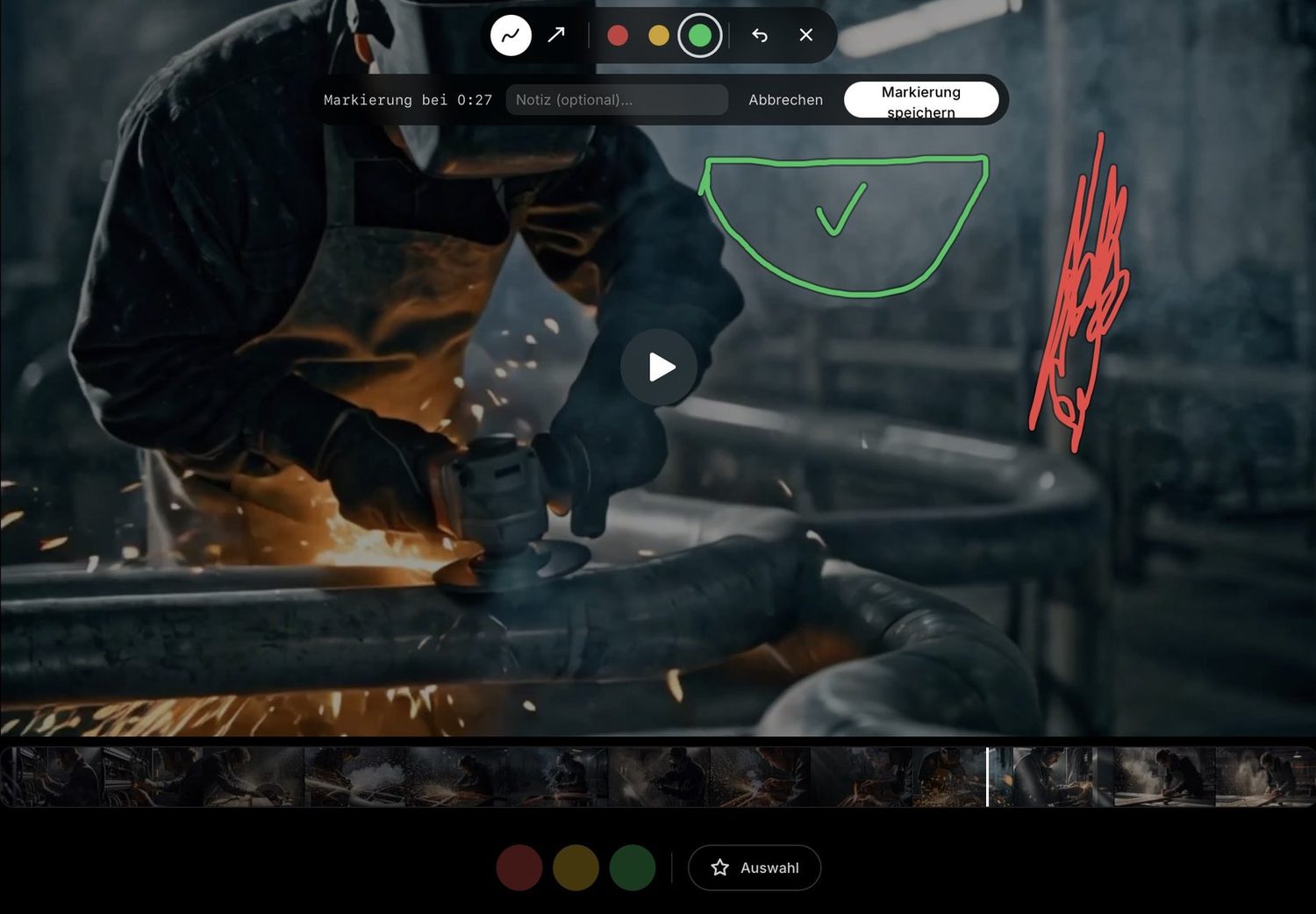
Video gets approved just like a photo.
Clients scrub through the video via filmstrip, jump to the right moment and place a marker at exactly that point — including a drawing and an optional note on the still. Even for the wedding film, “somewhere around halfway” becomes a precise note.
- Filmstrip scrubbing with frame preview
- Marker at a specific timestamp
- Draw + note right on the still
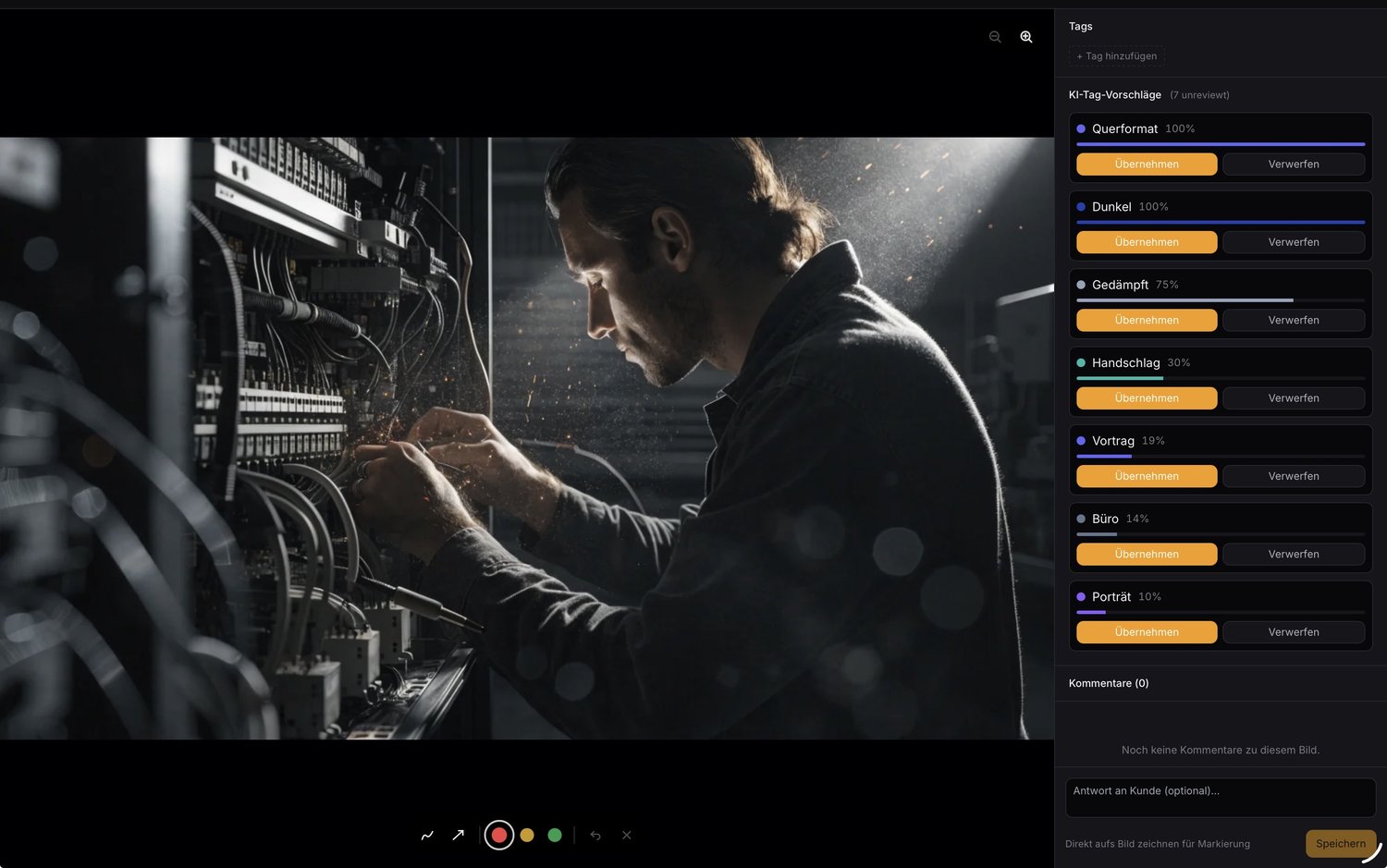
Tagging that takes care of itself.
Images are tagged automatically. Suggestions can be filtered by a confidence threshold and applied — and if you like, clients can filter by tags too.
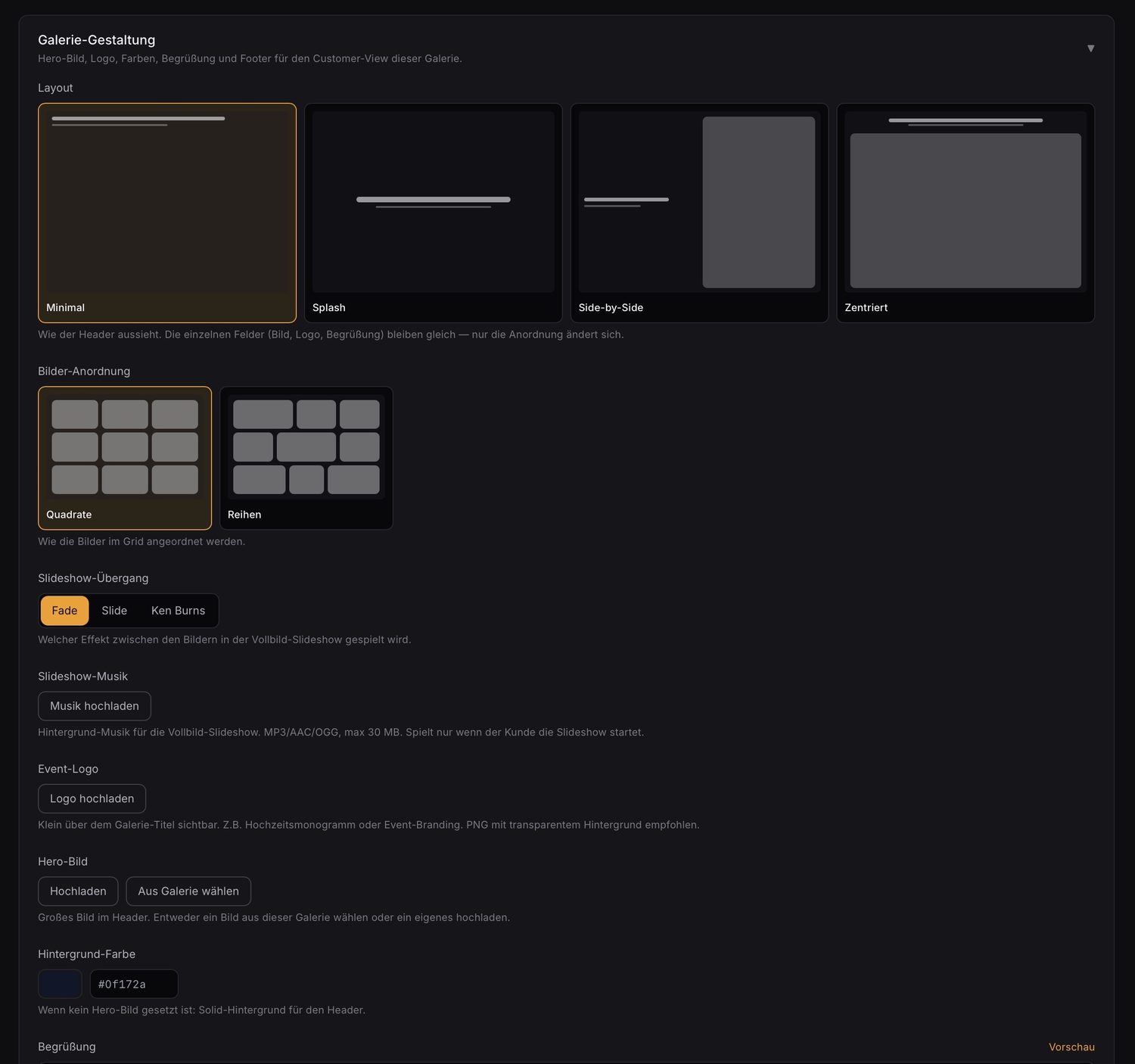
Every gallery its own face.
Layout, image arrangement, slideshow transition and music, hero image, fonts and colors — all configurable per gallery, with a live preview.
- Layouts: Minimal, Splash, Side-by-Side, Centered
- Slideshow: Fade, Slide, Ken Burns (+ music)
- Fonts & colors per gallery
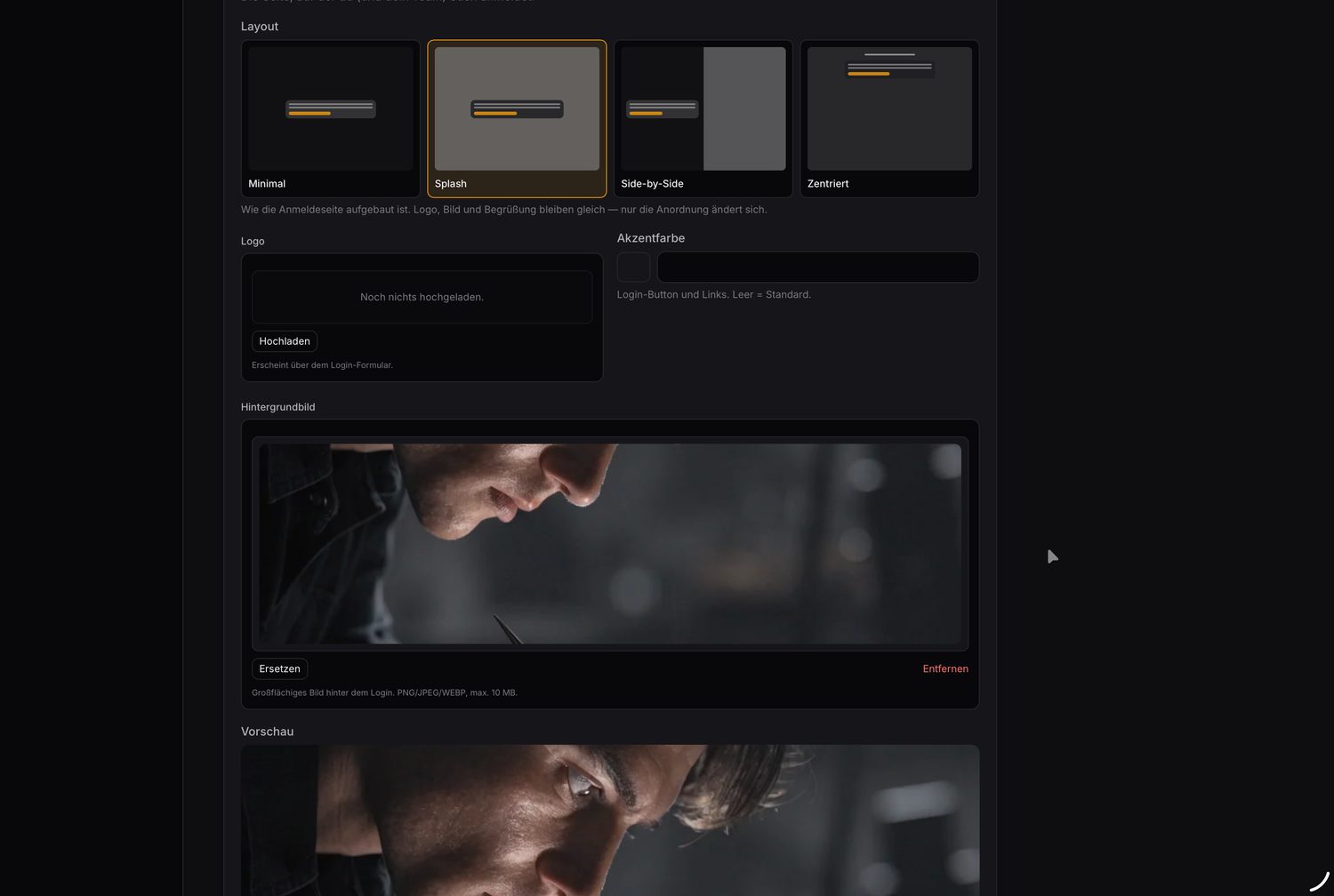
Right down to the login page.
Even the sign-in page for you and your team carries your signature: background image with a glass effect, welcome text, accent color and logo.
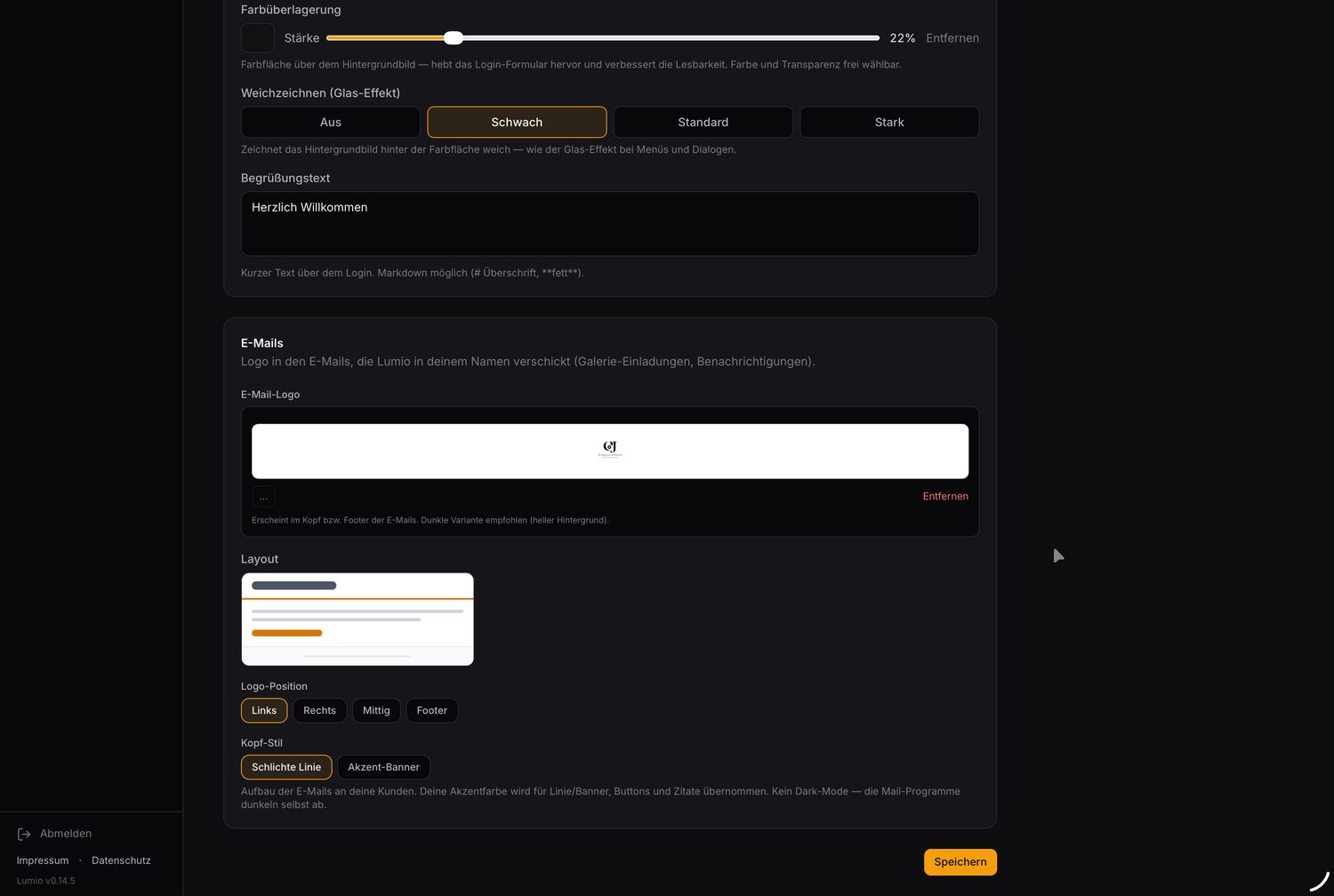
Emails in your name.
Lumio sends gallery invitations and notifications with your logo, your layout and your accent color — GDPR-compliant, without any third-party branding.
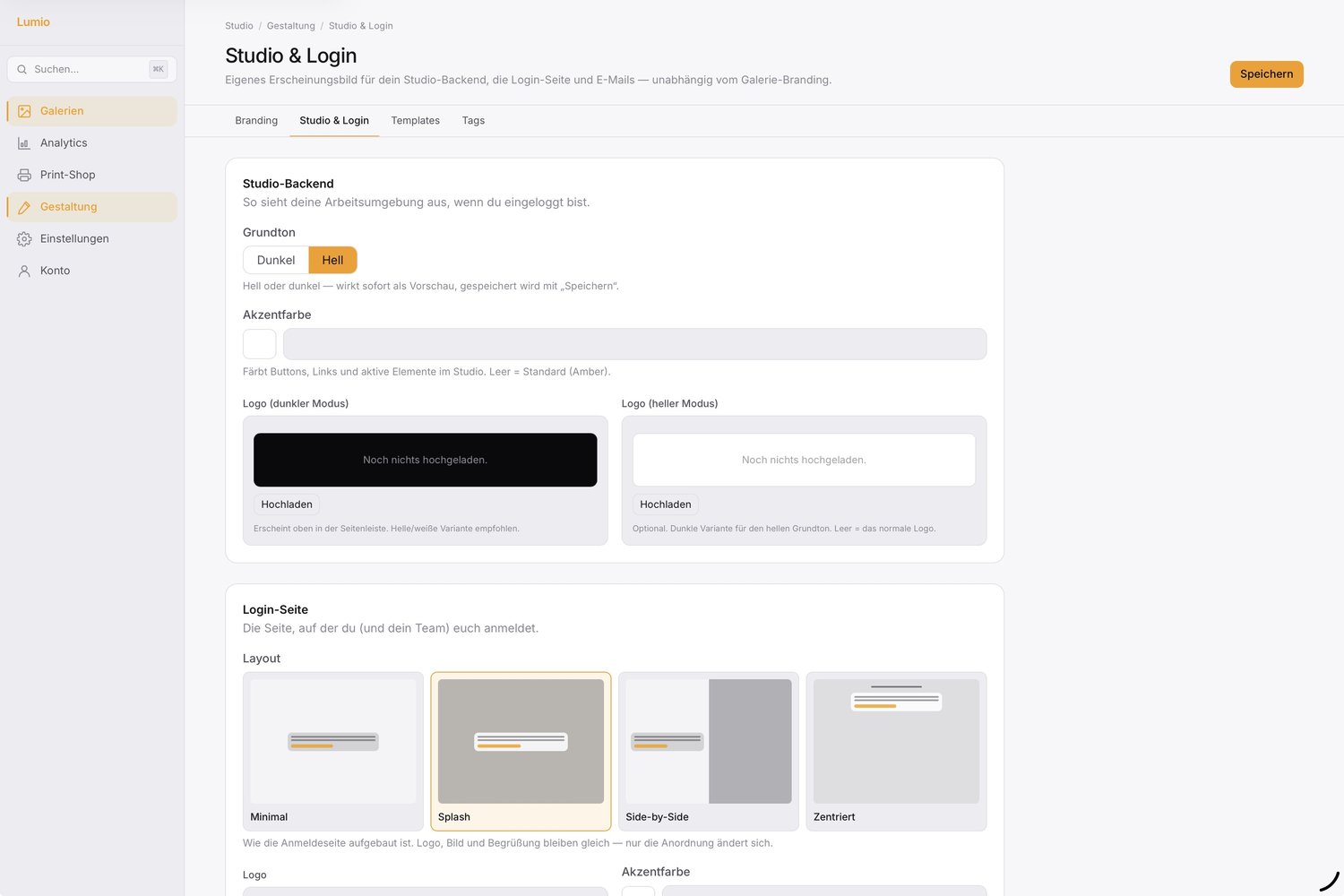
Light or dark — your studio, your look.
Work in a light or dark base tone, set your own accent color and store logo variants for both modes. Switching shows instantly as a preview — the other screenshots here show dark mode.
Bring it on — even in bulk.
Drag & drop with parallel uploads, automatic duplicate detection and Smart Sections that file new images by their tags.
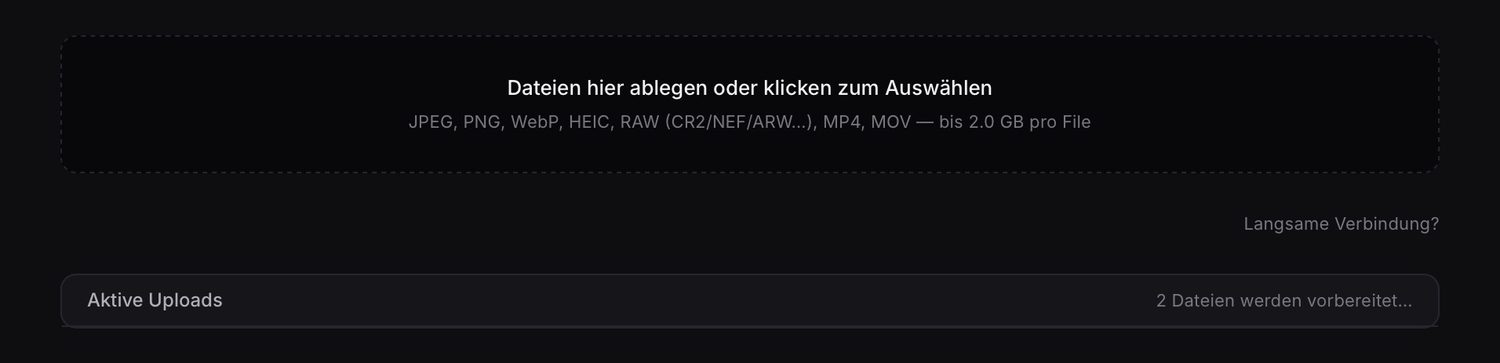
RAW, HEIC, video — no converting.
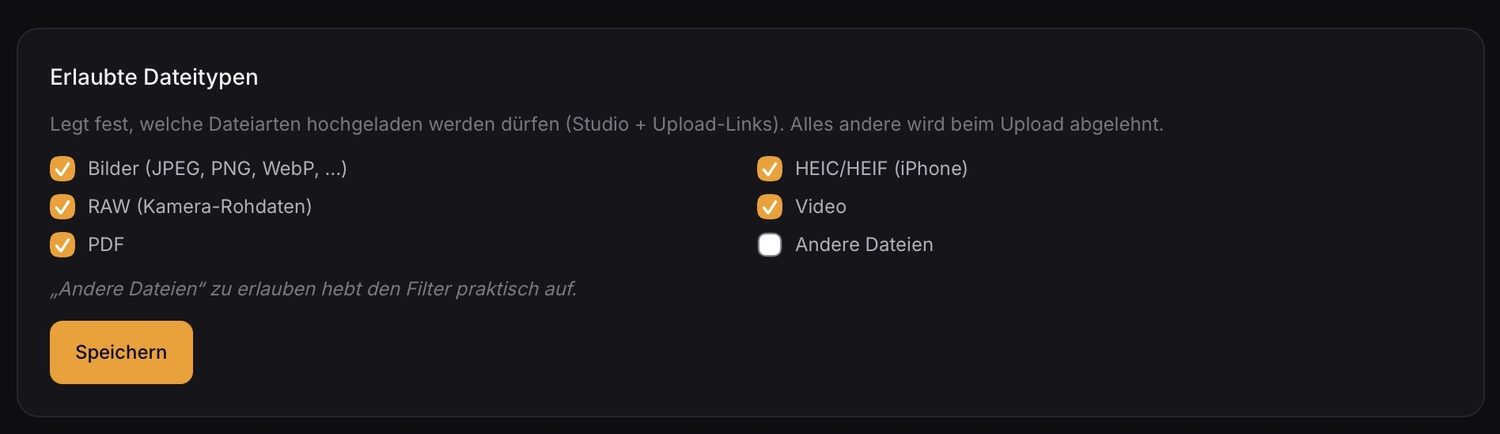
JPEG, PNG, WebP, RAW (CR2/NEF/ARW …), HEIC/HEIF from iPhone, video and PDF. RAW is decoded server-side; the original stays untouched. You set the upload limit yourself.
- RAW server-side via LibRaw
- HEIC/HEIF straight from iPhone
- Configurable file limit
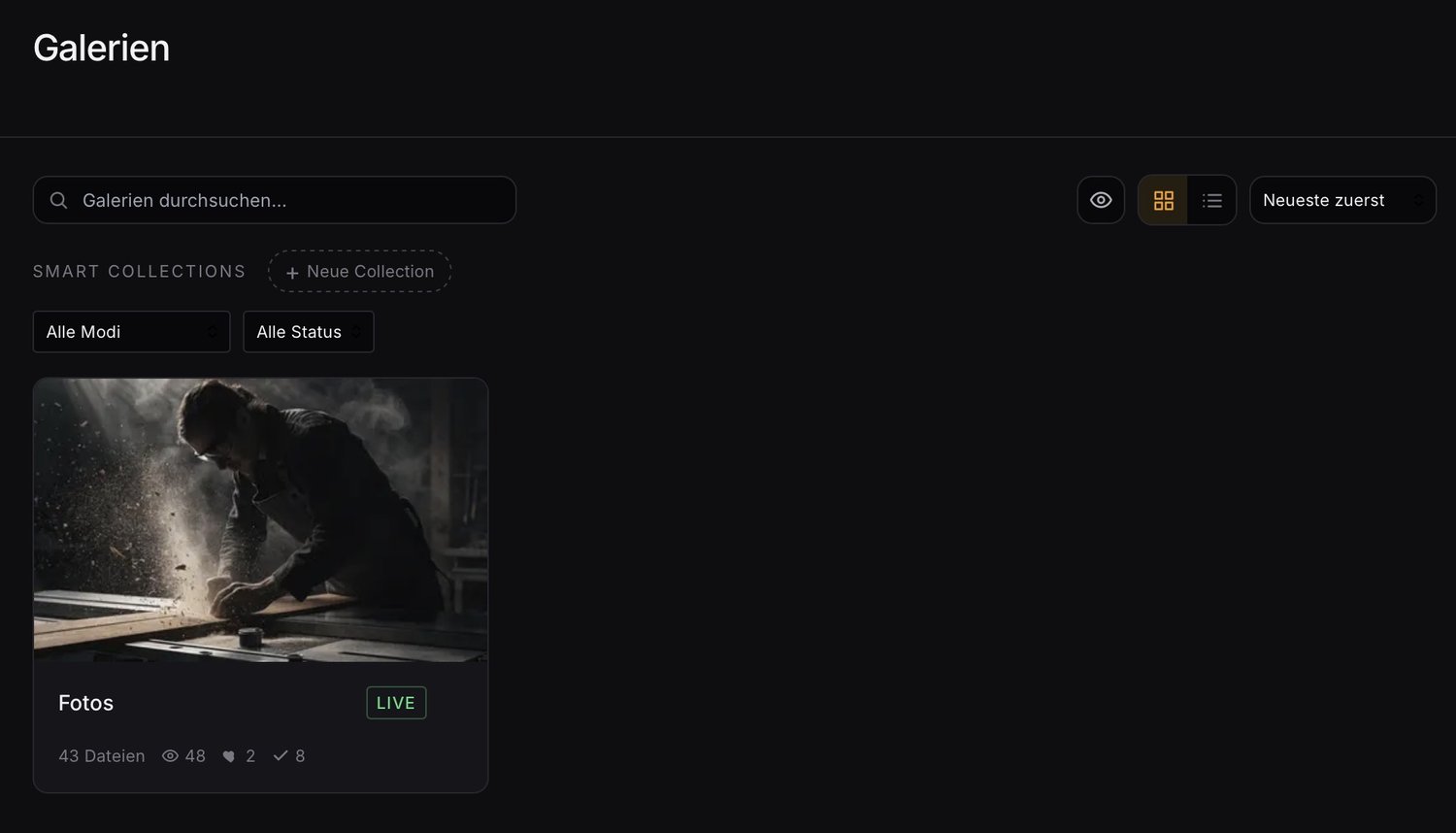
One place for all galleries.
Manage galleries, organize them with gallery tags, structure them into chapters and edit as a team — with roles, watermarks and a draft status.
See what lands.
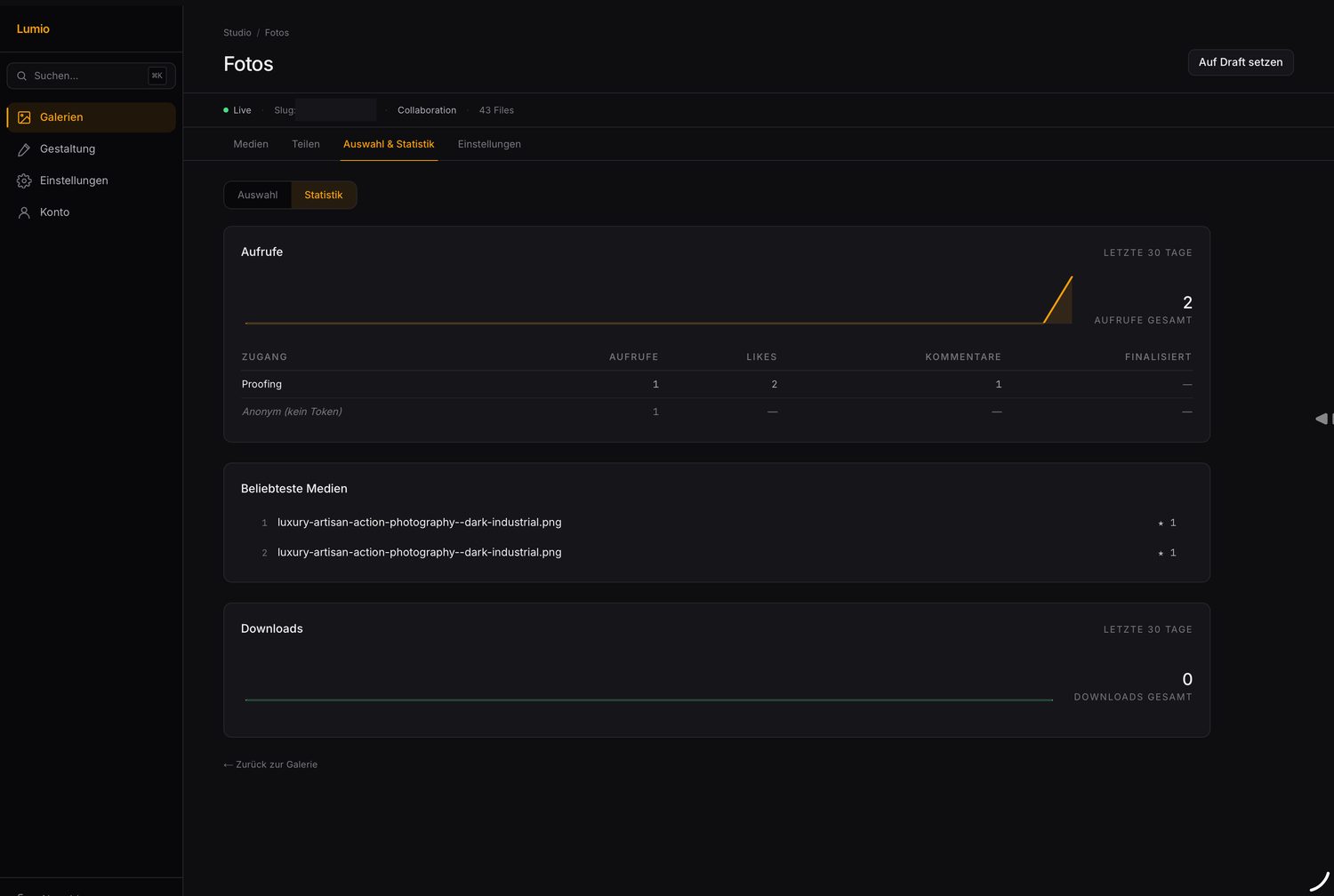
Views, most-popular images, likes, comments and downloads per gallery — from the gallery visit to the completed selection.
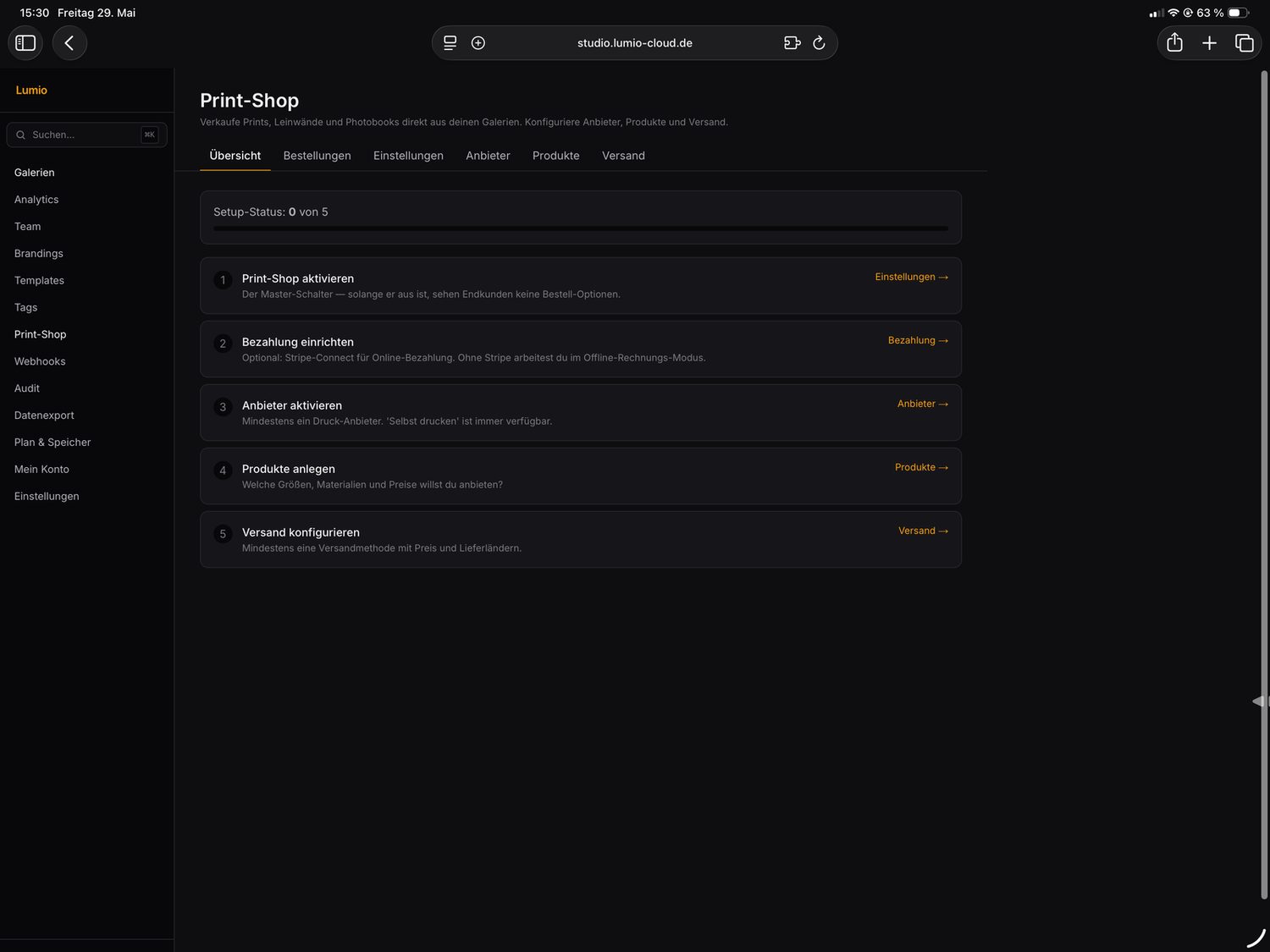
Sell straight from the gallery.
Offer prints, canvases and photo books right from the client gallery — with your own providers, products and shipping, optionally with Stripe payment.
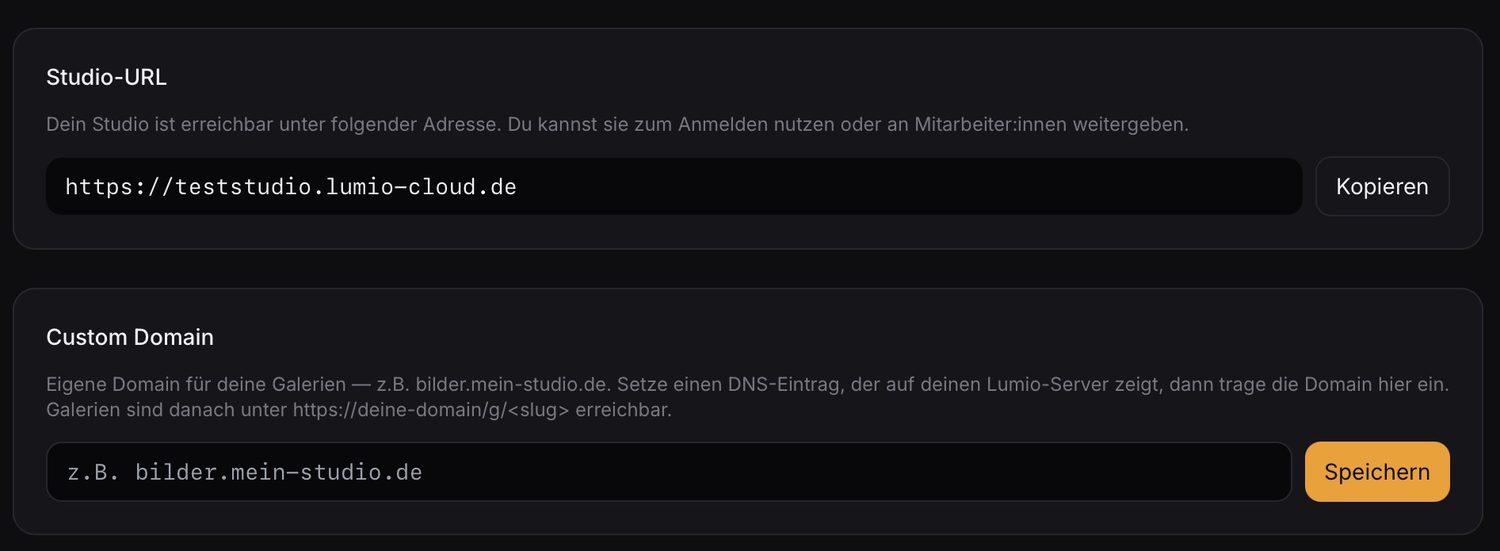
Galleries under your address.
Instead of a Lumio subdomain, your galleries run under your own domain — e.g. photos.your-studio.com. Set DNS, enter it, done.
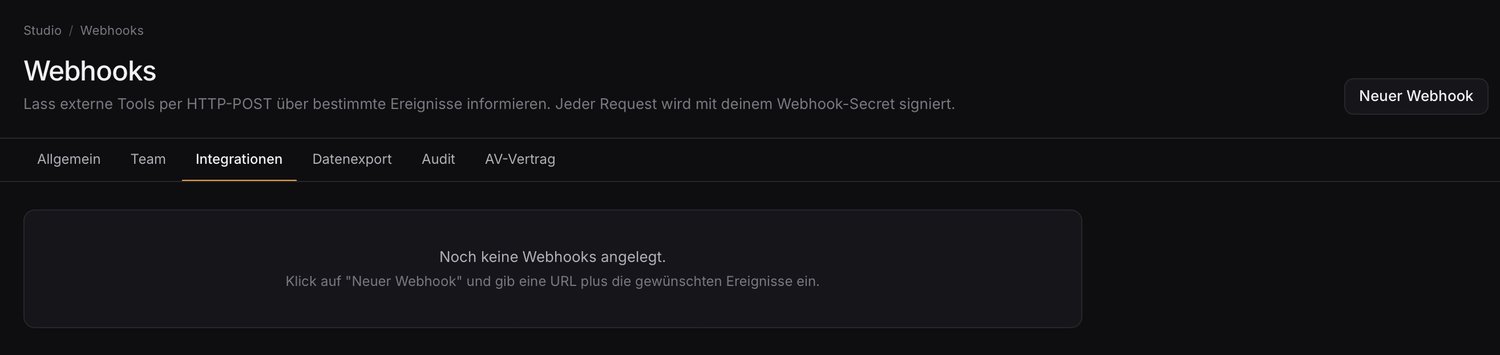
Hook into your tools.
Let external tools know about gallery events via HTTP POST — e.g. when a selection is completed. Every request is signed with your webhook secret. Plus plugins for Lightroom & Capture One.
On the legally safe side.
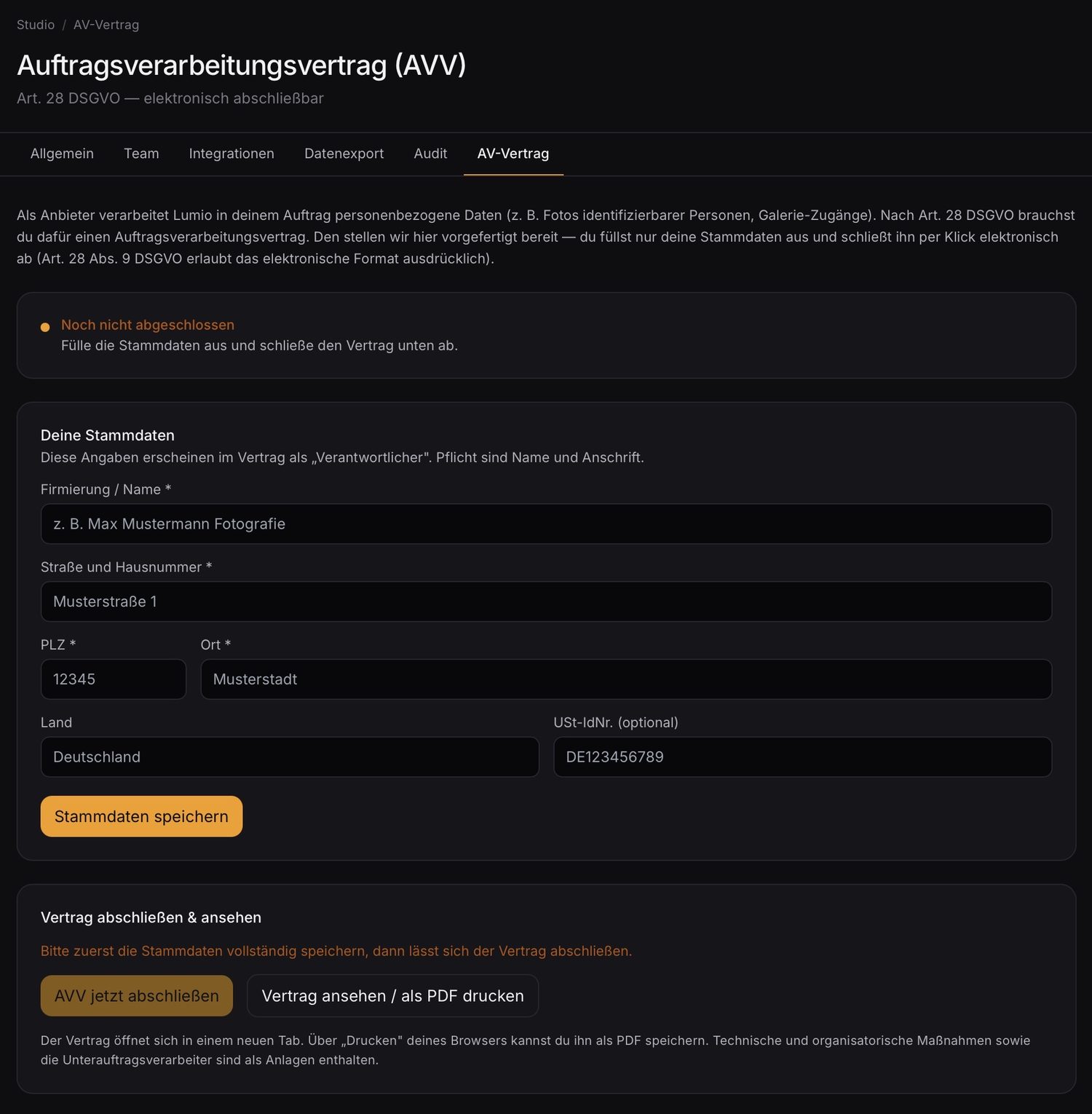
Conclude the data processing agreement under Art. 28 GDPR with a click. Plus signed gallery links with expiry and password, an audit log and servers in Germany.
- DPA concludable electronically
- Share links with expiry & password
- Audit log, hosted in Germany
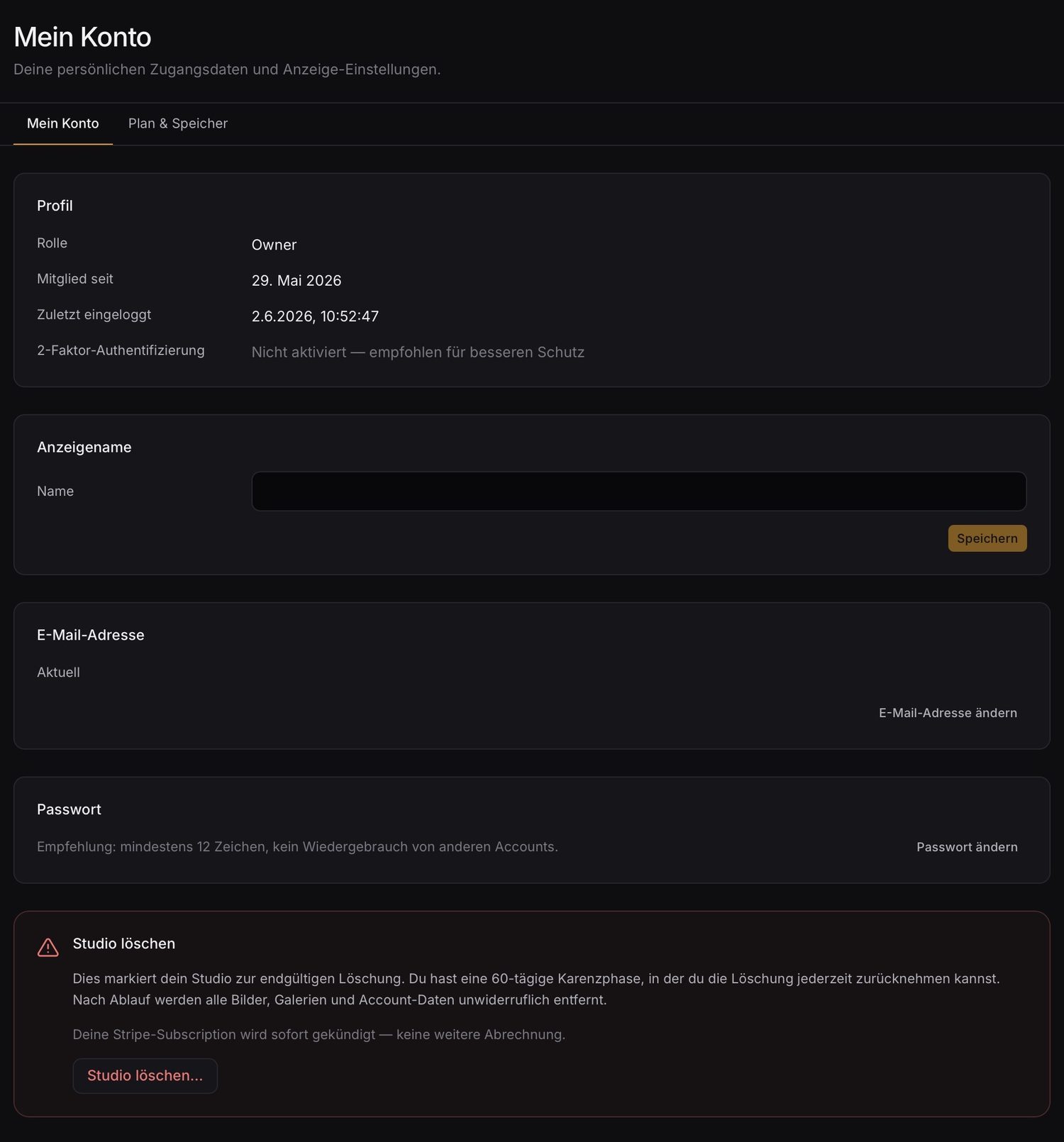
Access under control.
Roles for your team, two-factor authentication and a 60-day grace period on deletion — so nothing disappears by accident.
Plans that grow with you.
14-day free trial, then from entry level to the Pro plan with multiple sub-brands and team access. Storage is included in the cloud plan.
See pricing →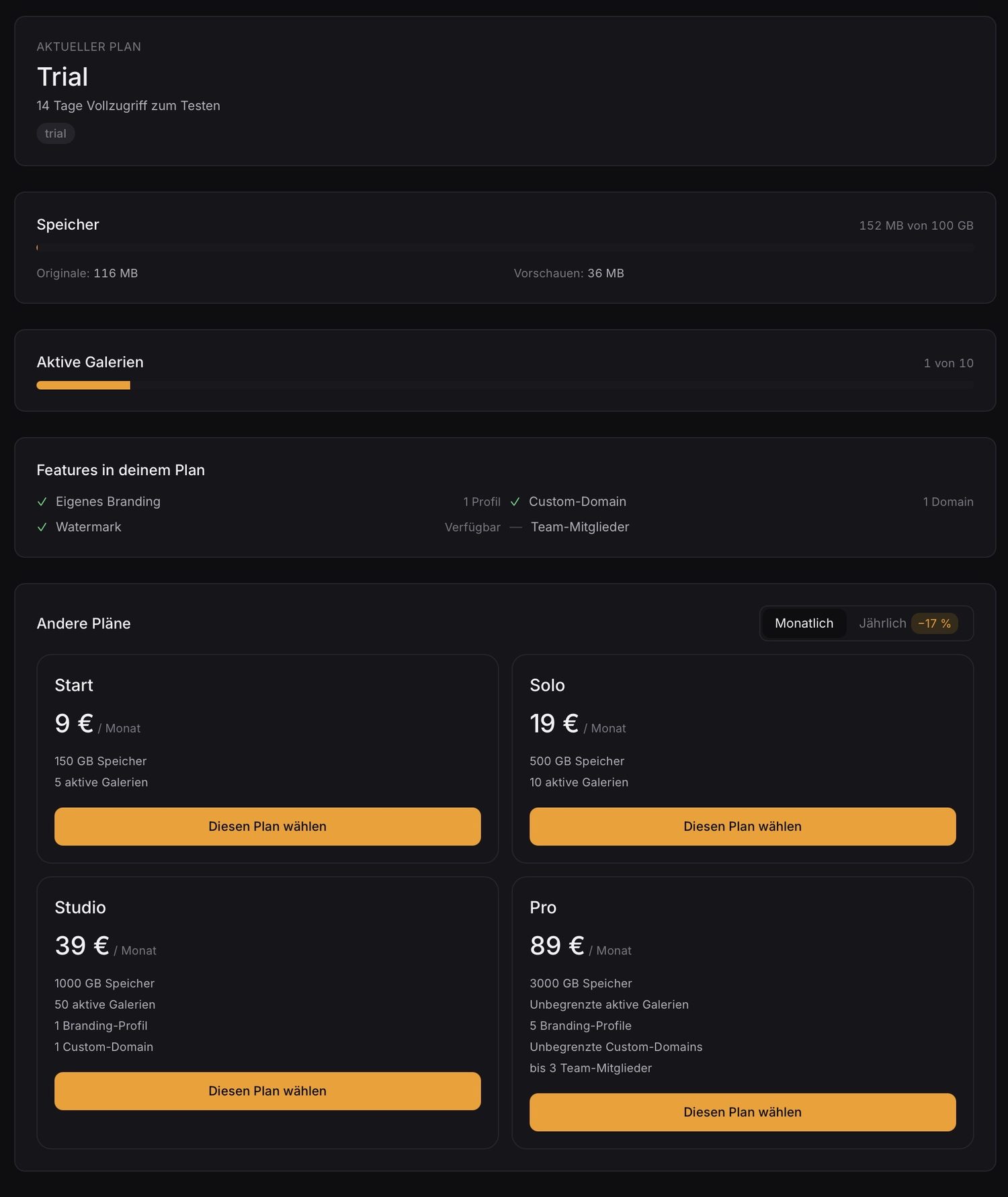
Large galleries, there instantly.
The grid is virtualized: it only loads what's currently visible — whether 50 or 5,000 images. Uploads go straight into your storage, video plays as an adaptive stream. The result is a gallery that's quick to load even on a phone.
to largest contentful paint (LCP) in our test on throttled 4G — for a gallery with 140 images.
The virtualized grid loads only the images in the viewport — scrolling stays smooth even with thousands of photos.
Uploads go straight into your object storage, without a detour via the app server — in parallel and with duplicate detection.
Try it free for 14 days.
Full functionality, no upfront payment. If you don't want to continue, just let it lapse — we won't pester you with reminder emails.