Watermarks on preview images: useful or unnecessary?
Watermarks seem old-fashioned — but they protect your work as long as payment is pending. When they're worth it, how not to make them intrusive, and why a subtle logo often beats text.
Watermarks have a divided reputation. Some consider them unprofessional and intrusive, others a self-evident protection. The honest answer: it depends on the phase and the execution.
What watermarks are really good for
The point isn’t to technically prevent theft — they don’t fully manage that anyway. Their real purpose is to make unauthorized use unattractive as long as the images aren’t yet released or paid for. Nobody posts a wedding photo with a studio wordmark across it. That’s exactly the point: in the selection and proofing phase, before payment arrives, watermarks are a fair lever.
As soon as it’s paid and released, the watermark falls away and the client gets the clean file. That way the watermark stays a tool, not an annoyance.
Text or logo?
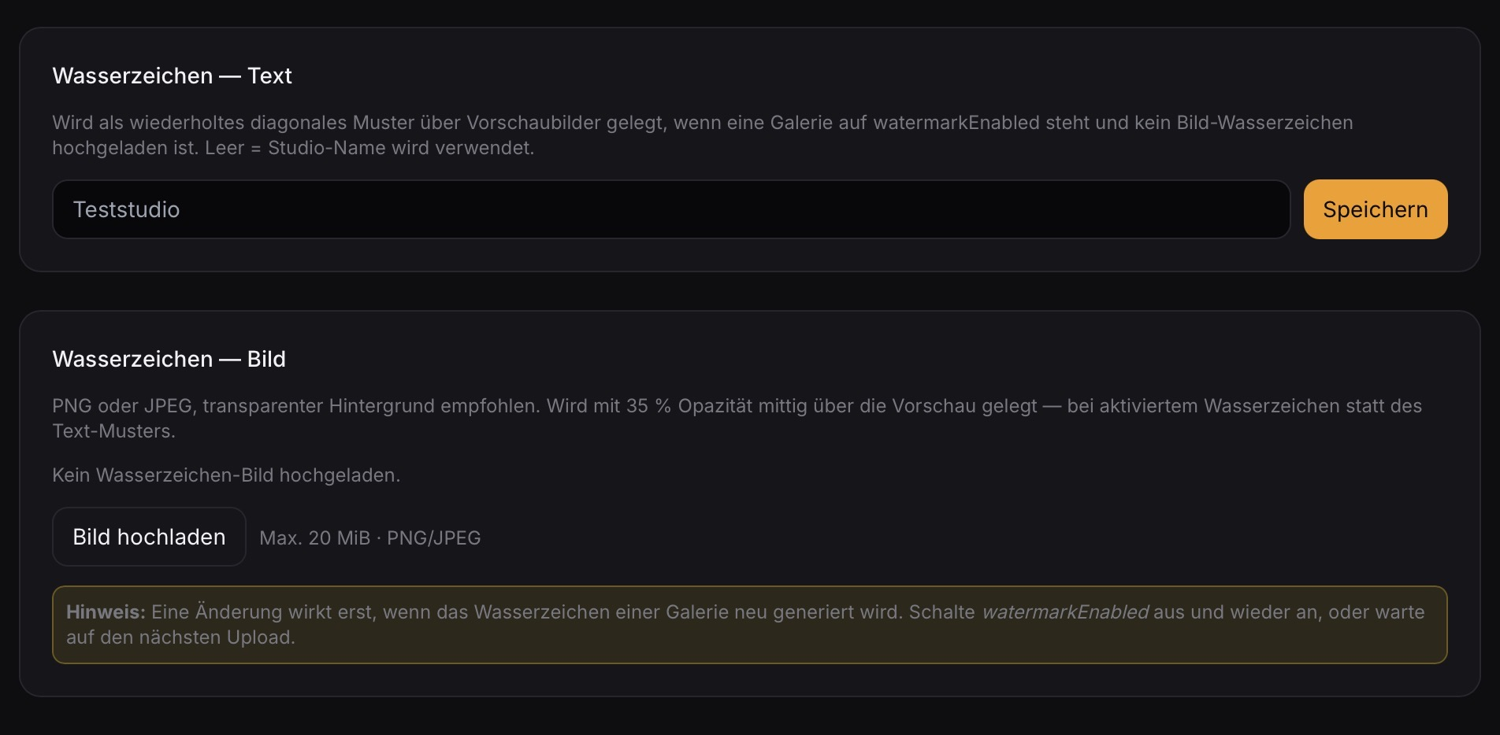
A simple text watermark — your studio name as a diagonal, repeated pattern — is quick to set up and often enough. A image watermark looks more elegant: your logo, semi-transparent in the center over the image. That disturbs the image less than a word tiled across the entire surface and conveys your brand as a bonus.
Important in both cases: stay subtle. A watermark that makes the image unrecognizable also prevents the client from judging what they’re selecting at all. A moderate opacity protects without ruining the preview.
Decide per gallery
Not every gallery needs a watermark. A pure presentation gallery after payment looks better without one. A proofing gallery before the invoice benefits from it. That’s why the decision belongs at the gallery level — not blanket for everything.
Conclusion
Watermarks aren’t a sign of distrust but a phase tool: protection before release, clean files afterward. A subtle logo looks more professional than tiled text, and the decision should be made per gallery.
Lumio is built exactly for that: you set a watermark text (the default is your studio name) or upload a logo that’s laid semi-transparently over the preview — and you enable the watermark specifically for the galleries where it makes sense.